Version 1.1.0 · 1.6 MB · Free · Notarized by Apple · macOS 14 or later, Apple Silicon
See it in action
Illustration
Without SidestepWith Sidestep
What it does
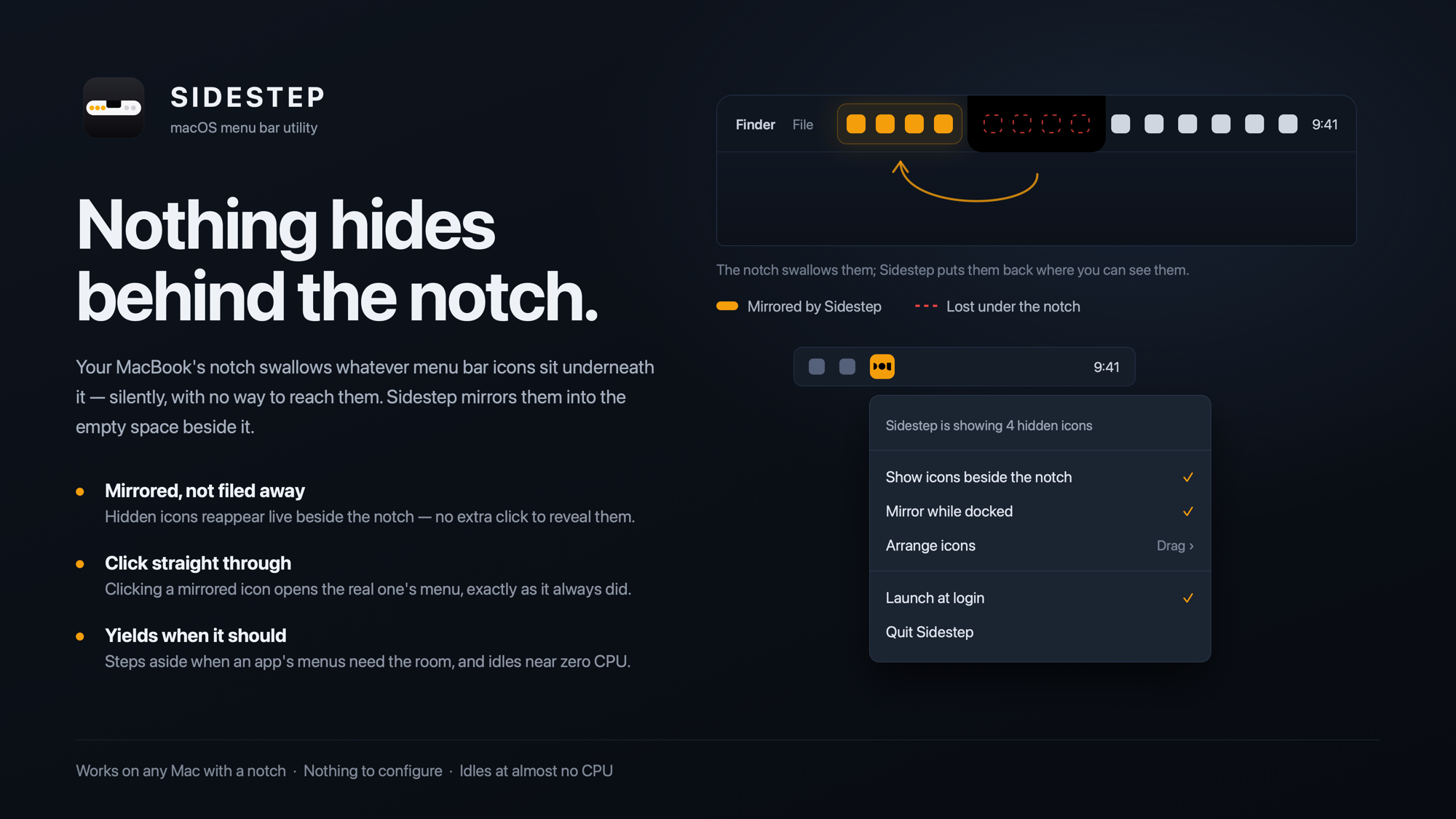
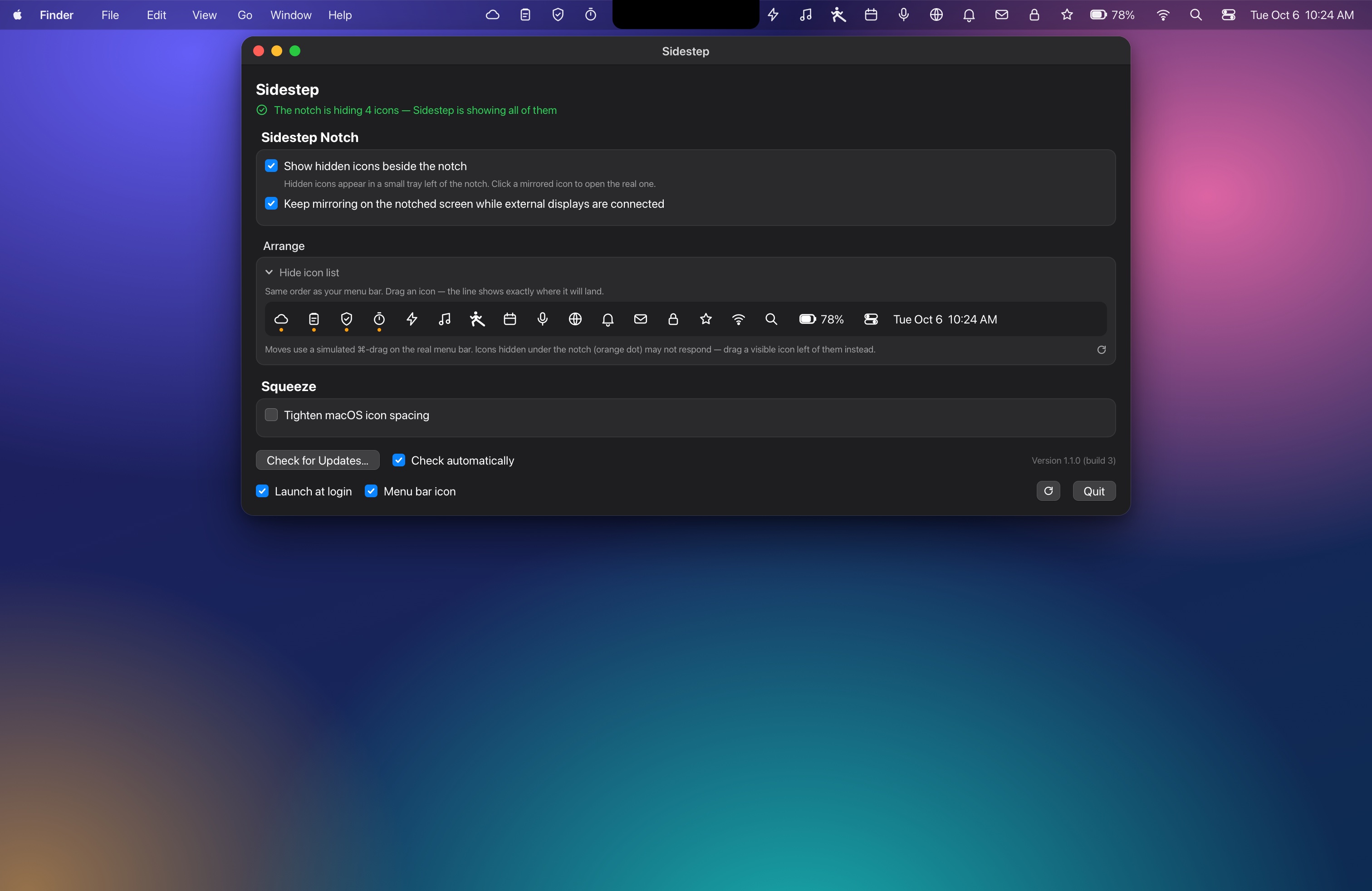
The notch on newer MacBooks swallows any menu bar icons that land beneath it, with no way to reach them. Sidestep mirrors those hidden icons live into a small tray beside the notch. Click a mirrored icon and the real item's menu opens. It steps aside when an app's menus need the room, and it works with external displays connected.
Requirements
macOS 14 or later
Apple Silicon Mac (M1 or later)
A Mac with a notch: MacBook Pro 14″/16″ (2021 and later) or a notched MacBook Air
Install
Open the downloaded disk image and drag Sidestep onto the Applications shortcut.
Open Sidestep from Applications. macOS will ask you to confirm it was downloaded from the internet; click Open.
Grant the two permissions below when asked (System Settings → Privacy & Security), and relaunch if macOS asks.
After that it runs quietly in the background. "Launch at login" is in its settings.
Permissions it needs
Screen Recording, to copy the pixels of the hidden icons so they can be mirrored.
Accessibility, to click the real icons and to measure the front app's menus so the tray never covers them.
The only network access is the optional update check. There is no account, no analytics and no telemetry, and the screen reading stays on your Mac.
Good to know
It only helps on a Mac with a notch.
It is not on the Mac App Store. Apple's sandbox does not allow what it does, so this download is the permanent home.
It relies on undocumented macOS behavior, so a future macOS update could break it.
Sidestep can check for updates, only when you click "Check for Updates" or, if you allow it, about once a day. You can switch that off at any time.
Clicking a mirrored icon opens the real menu slightly to the right, under the notch.
So far it has been tested on one Mac: a MacBook Pro M1 Max on macOS 26.
Extras
Drag to rearrange your real menu bar icons.
An optional "Squeeze" setting tightens macOS icon spacing. The effect is modest, about two icons at most.
Light on resources.
SHA-256 of Sidestep-1.1.0.dmg: f756ef040e10def750f46bc1a1834a5e49427866a2f72abeb25cff94f02f1fd5